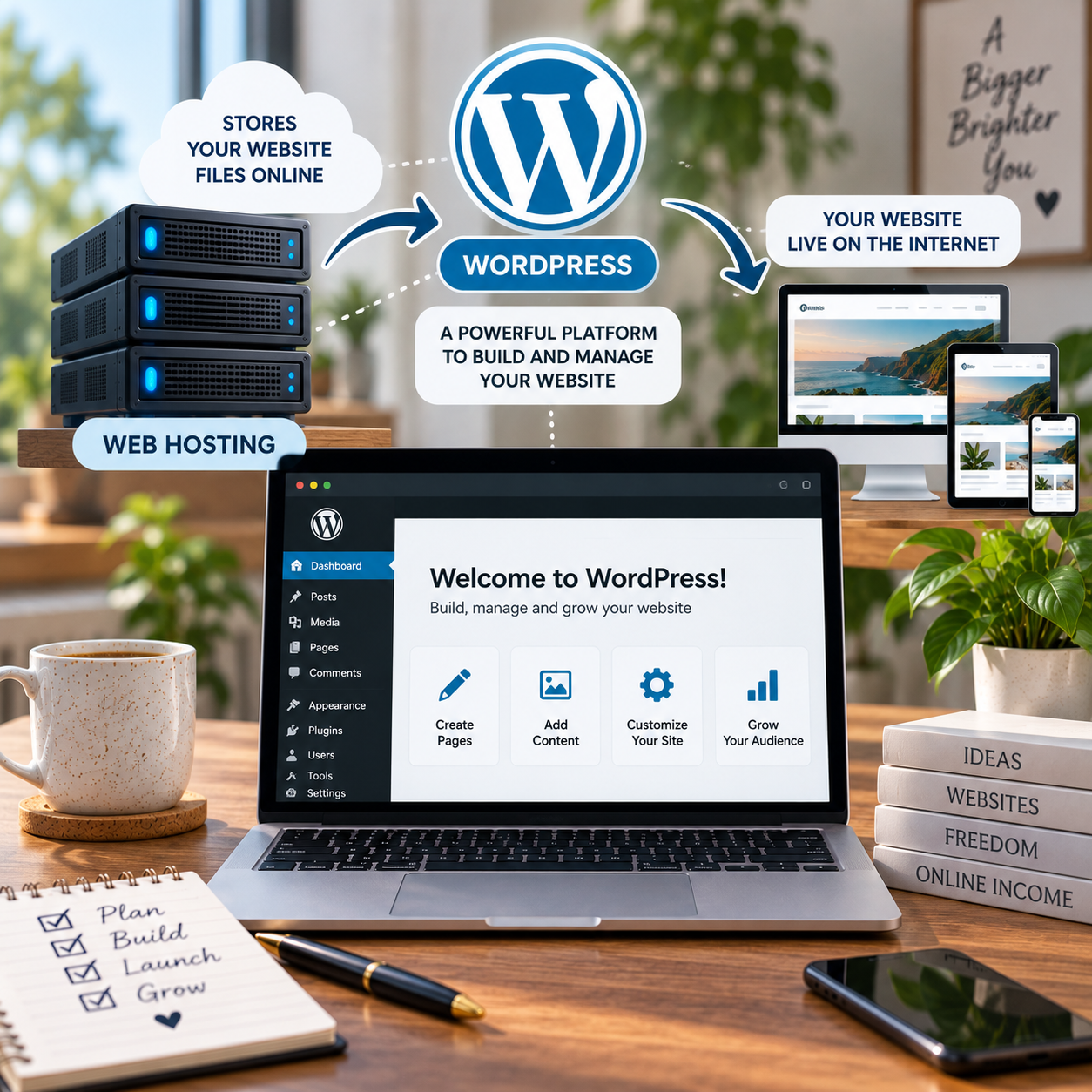
If you’re planning to build a WordPress website, you’ll probably come across hosting companies selling something called WordPress hosting.
That can make it sound as though WordPress needs a special type of hosting. It doesn’t.
WordPress hosting is simply web hosting that has been set up or packaged specifically for websites using WordPress. Depending on the provider, that might mean WordPress comes pre-installed, updates are easier to manage, security features are configured for WordPress, or the hosting has been optimised to run WordPress efficiently.
But you don’t necessarily need a product labelled “WordPress hosting” to create a WordPress website.
Here’s what the terminology actually means and what you need to know before paying for it.
What Is WordPress Hosting and How Does It Work?
WordPress hosting provides the server space and resources needed to make a WordPress website available on the internet.
WordPress itself is the software you use to create and manage the website. Your hosting provides somewhere for that website to live.
Think of it this way:
WordPress = the software you build the website with.
Web hosting = the service that keeps the website online.
WordPress hosting = web hosting specifically packaged or configured for WordPress.
When someone visits your domain, your hosting server delivers the files and information needed to display your WordPress website.
What Is WordPress Hosting Used For?
WordPress hosting is used for websites built with WordPress.
That could include:
- blogs;
- small business websites;
- portfolio websites;
- information websites;
- membership websites;
- online shops using WooCommerce; and
- large content websites.
You don’t need a particular type of website to use WordPress hosting. The important part is that the website itself is built using WordPress.
This website, for example, uses WordPress and is hosted with Hostinger.
What Is the Difference Between WordPress Hosting and Regular Hosting?
The difference isn’t always as large as the names make it sound.
Regular web hosting provides server space that can potentially be used for different types of websites and software.
WordPress hosting is designed specifically around WordPress.
Depending on the hosting company, a WordPress package might include:
- WordPress installed automatically;
- automatic WordPress updates;
- WordPress-specific security features;
- backups;
- caching or performance tools;
- easier WordPress setup; and
- support geared towards WordPress users.
However, the term WordPress hosting isn’t identical across every hosting company.
One provider’s basic WordPress hosting could be very similar to its normal shared hosting, while another might provide significantly more WordPress-specific management.
That’s why it’s worth comparing what is actually included rather than choosing a package simply because “WordPress” appears in its name.
Do I Need WordPress Hosting?
You need hosting for a self-hosted WordPress website, but you don’t necessarily need a package specifically called WordPress hosting.
Many ordinary web hosting plans can run WordPress.
If you’re a beginner and already know you’re going to use WordPress, however, a WordPress-specific plan can make the initial setup easier.
Instead of manually installing and configuring everything yourself, your hosting provider may take care of some of those steps.
The important question isn’t really:
Do I need WordPress hosting?
It’s:
Does this hosting plan support WordPress and give me what my website needs?
Can I Use WordPress Without Hosting?
This depends on what you mean by WordPress.
There are two things beginners often confuse:
WordPress.org provides the open-source WordPress software. If you use this version to create a live website, you’ll need somewhere to host it.
WordPress.com is a hosted service. Hosting is already provided as part of the service, so you don’t separately buy traditional web hosting in the same way.
When people talk about buying WordPress hosting, they’re usually talking about hosting a self-hosted WordPress website.
If you’re unsure whether you need hosting in the first place, our Do I Need Web Hosting for My Website? guide explains this in more detail.
Shared Hosting vs WordPress Hosting
Shared hosting means multiple websites use resources on the same server.
It’s one of the reasons hosting can be offered relatively cheaply, and it can be perfectly adequate for a new website.
WordPress hosting describes hosting intended specifically for WordPress.
These terms aren’t necessarily opposites.
A WordPress hosting package can itself use shared hosting infrastructure.
So you could potentially have shared WordPress hosting.
This is another reason not to get too caught up in hosting terminology. Look at what the plan actually provides.
What Is Managed WordPress Hosting?
You may also see managed WordPress hosting.
This generally means the hosting provider takes responsibility for more of the technical management of your WordPress environment.
Depending on the provider and plan, this could include things such as:
- automatic updates;
- backups;
- security monitoring;
- performance optimisation;
- staging tools; and
- specialist WordPress support.
The trade-off is that managed WordPress hosting can cost more.
A first website doesn’t automatically need expensive managed hosting.
The value depends on how much technical management the provider is actually taking away from you and whether that’s something you need.
WordPress Hosting vs Web Hosting: Which Should I Choose?
If you’ve already decided to build your website with WordPress, choosing a reasonably priced WordPress-friendly hosting package can simplify things.
If you’re not sure which platform you’ll use, general web hosting may give you more flexibility.
But don’t assume WordPress hosting is automatically better just because it sounds more specialised.
Compare:
- price;
- renewal price;
- number of websites;
- storage;
- backups;
- security;
- email;
- SSL;
- support; and
- any WordPress-specific features.
For a new website, you probably don’t need the most powerful package available.
Is WordPress Hosting Worth It?
It can be.
If a WordPress hosting plan costs roughly the same as ordinary hosting but gives you easier installation, automatic updates or useful WordPress tools, choosing it can make sense.
The calculation changes when a provider charges substantially more for the WordPress-labelled product.
Ask what you’re actually receiving for the additional money.
If the features won’t make any meaningful difference to how you build or run your website, you may not need to pay extra for them.
What Are the Downsides of Using WordPress?
WordPress gives you enormous flexibility, but that flexibility also creates some of its disadvantages.
You need to maintain the website.
WordPress itself, your theme and your plugins may need updating. Plugins from different developers can occasionally conflict with each other, and installing too many unnecessary plugins can make managing a website more complicated.
There’s also more to learn than with some all-in-one website builders.
With a website builder, much of the technical infrastructure is hidden from you. WordPress gives you more control, but that can mean making more decisions yourself.
We use WordPress because that flexibility is useful for the websites we’re building. That doesn’t mean it’s automatically the right choice for every person creating a website.
Why Are Some People Moving Away From WordPress?
Some website owners prefer simpler all-in-one platforms that combine hosting, website building, updates and technical maintenance.
Others may want fewer plugins to manage or simply don’t need the level of flexibility WordPress provides.
At the same time, people continue to choose WordPress precisely because they want greater control over their website, hosting and functionality.
So the more useful question isn’t whether people are “moving away” from WordPress.
It’s whether WordPress suits the website you want to build and the amount of control you want to have.
How Much Does WordPress Hosting Cost?
WordPress hosting can cost only a few pounds per month at the introductory level, while more advanced managed hosting can cost considerably more.
Be careful with advertised monthly prices.
A provider might advertise hosting as costing a few pounds per month while requiring you to purchase one, two or four years upfront.
The renewal price can also be substantially higher than the introductory price.
We’ve covered this separately in How Much Does Web Hosting Cost UK? and Cheap Web Hosting UK: What Should You Actually Pay?
What WordPress Hosting Do We Use?
We currently use Hostinger to host this website and a number of our other WordPress websites.
That gives us first-hand experience of using WordPress with Hostinger rather than simply recommending a hosting company we’ve never used.
We’ve also used GoDaddy in the past, although our experience with Hostinger is more recent.
That doesn’t mean either company is automatically the right host for your website. Your choice should depend on the price, features and level of support you need.
What Should a Beginner Choose?
If you’re building your first WordPress website, don’t make hosting more complicated than it needs to be.
You need somewhere reliable to host the website, support for WordPress and enough resources for the site you’re actually creating.
You probably don’t need an expensive server or an advanced hosting package before you’ve even received your first visitor.
Start with what your website needs now.
You can upgrade later if the website grows enough to require it.
WordPress Hosting Is Still Web Hosting
The simplest way to understand WordPress hosting is this:
It’s web hosting designed or packaged for WordPress websites.
You need hosting if you’re running a self-hosted WordPress website, but the package doesn’t necessarily have to be called “WordPress hosting”.
Look beyond the label.
Check what the plan includes, what you’ll pay upfront, what it costs to renew and whether the WordPress-specific features will actually make building your website easier.
That’s much more important than choosing a hosting plan simply because it has “WordPress” written on the box.
Leave a Reply